

Week 1 in our Internet of Things series was What is the Internet of Things? Week 2 was Home Safety - Devices That Prevent Disasters Before They Happen. Week 3 was Simple Smart Home Devices That Help You Stay Independent. Week 4 was Stay Independent Longer - Smart Health Devices Worth Your Trust
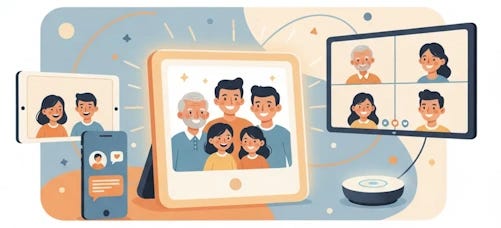
You can’t visit everyone you love as often as you’d like. Maybe the grandkids live three states away, or your best friend moved to Florida. That’s where smart devices come in, solving the problem of staying close when miles separate you.
These aren’t complicated gadgets that require a computer science degree. They’re designed specifically to make family connections effortless, even if you’ve never considered yourself tech-savvy.
Join TheSeniorTechie and help make technology accessible for every senior. Paid subscribers get full access to Premium Guides plus LIFETIME access to free tech support from our partner Tech Maid - while supporting our mission to reach more seniors who need it.
Video Calling Without the Headaches
Traditional video calls often mean fumbling with apps, remembering passwords, and clicking tiny buttons on a phone screen. Dedicated video calling devices skip all that nonsense.
The ViewClix Frames device works as a picture frame until someone calls. It automatically answers after a brief moment, so you don’t need to scramble for buttons. Your family uses a free app on their phone to reach you, while you just enjoy seeing their faces on the 10-inch or 15-inch screen. The device costs $299, with a $9.95 monthly membership for the entire family for full features. (If you buy something, I may earn a small commission to support TheSeniorTechie at no cost to you—thanks!)
GrandPad provides video calling through a simplified, senior-friendly interface that eliminates the complexity typically associated with video chat technology. Users can initiate a video call by tapping the Call button from the home screen, scrolling to find their desired contact using large buttons and clear pictures, and then selecting “Video Call” from the menu—no dialing or typing required. The tablet comes with built-in 4G LTE connectivity, ensuring clear and crisp video quality without requiring home Wi-Fi, and calls will ring for up to 5 minutes to give recipients plenty of time to respond. For seniors with hearing impairments, GrandPad includes a real-time text feature that displays typed messages on screen during video calls, allowing them to read what’s being said while responding verbally. The platform also supports multi-party video calling through integrated Zoom functionality, enabling seniors to join family gatherings, celebrations, and community events by simply tapping a “Join Meeting” button in email invites. All video calling takes place within a secure “trusted circle” of pre-approved contacts, protecting users from unwanted calls and scammers while maintaining the intimacy of face-to-face connection.
Komp takes simplicity even further with its one-button design. There’s no touch screen to deal with, no passwords to remember, and no manual updates required. Family members control everything from their end, sending photos, messages, and making video calls that appear on the 21-inch screen. Calls automatically answer after 10 seconds if the device is on.
Your TV Becomes the Connection Hub
Why squint at a small screen when you’ve got a perfectly good television?
The Jubilee TV is a senior-focused television system that simplifies entertainment through a hub device that connects to existing TVs and consolidates up to three devices - cable boxes, streaming players, or satellite receivers - into a single, tile-based interface. Family members can remotely control the TV from anywhere using the Telescope app, which provides a real-time view of the senior’s screen and allows them to adjust volume, change channels, or start shows without requiring a phone call. The built-in webcam enables full-screen video calling with auto-answer functionality, meaning seniors don’t need to press buttons to connect, and caregivers can use a one-way “drop-in” feature to check in discreetly. The system also supports remote caregiving by sending reminders and messages directly to the TV screen, tracking daily activity patterns through TV usage monitoring, and offering voice control through the included remote.
Digital Photo Frames That Actually Work
Remember when digital photo frames were clunky things you loaded with a USB stick? They’ve evolved.
Modern Wi-Fi-enabled frames like Nixplay and Skylight let family members upload pictures remotely from anywhere. You wake up to new photos of the grandkids without lifting a finger. The frames connect to your home Wi-Fi and sync with apps your family uses on their phones.
Setting up takes about thirty minutes, mostly just connecting to Wi-Fi and downloading the companion app. Once configured, family members across different cities can contribute photos instantly. Photos appear within minutes of being sent, creating a constantly updating gallery.
How Remote Upload Actually Works
The technology isn’t magic, though it might feel like it.
Digital frames with remote upload connect to cloud services, allowing multiple people to send photos from smartphones or computers. Some work through dedicated mobile apps where family selects photos and sends them directly. Others accept photos via email by sending pictures to the frame’s unique email address. Advanced models even pull automatically from Google Photos or iCloud.
No memory cards needed. No USB drives to swap out. The frame stays current without you doing anything.
Apps That Bridge the Distance
Standard video calling apps work well if you’re comfortable with smartphones or tablets.
Zoom, Skype, FaceTime, and Google Meet all offer face-to-face conversations with user-friendly interfaces. Many have been redesigned with accessibility in mind, making them easier for anyone to use. WhatsApp also provides excellent video calling features for individuals or groups.
Social media platforms like Facebook let you stay updated through photos, messages, and private family groups. Instagram works similarly, though the interface takes more getting used to. These platforms keep you part of important moments even when you can’t be there physically.
The Security Question You Should Ask
Not all family networks are created equal.
Several dedicated devices create secure, closed networks where only approved contacts can reach you. ViewClix, Komp, and GrandPad all restrict access to family members you’ve authorized. This prevents random strangers or scammers from contacting you through the device.
Standard apps like Zoom or FaceTime rely on you managing your own security. That’s fine if you’re comfortable with privacy settings, but dedicated devices remove that burden entirely.
What Makes These Devices Senior-Friendly
The best devices anticipate problems before they happen.
Auto-answer features mean you won’t miss calls because you couldn’t find the right button fast enough. Large screens compensate for vision challenges. Some include captions during video calls for hearing assistance. Physical remotes replace touch screens that don’t always respond to older fingertips.
The GrandPad even includes a stylus for easier navigation. Small detail, but it matters when touch screens refuse to register your taps.
Real-Time Sharing Changes Everything
Traditional photo sharing meant waiting for prints or navigating complicated email attachments.
With remote upload frames, family events get shared immediately. Someone at a birthday party can select photos on their phone and send them while the candles are still smoking. You see new memories within minutes of them being created. That immediacy strengthens connections despite physical distance.
The frames become conversation starters too, especially in assisted living facilities where staff and other residents notice the constantly updating photos.
Choosing What Works for Your Situation
Different families need different solutions.
If you want the absolute simplest option, Komp’s one-button design wins. For those who enjoy their existing TV setup, Jubilee TV or GrandPad integrate seamlessly. ViewClix hits a sweet spot between picture frame and communication device, serving both purposes well.
Digital photo frames make sense for families spread across multiple cities who want continuous connection without scheduling calls. Apps like Zoom or FaceTime work perfectly if you’re already comfortable with smartphones or tablets.
The Bottom Line on Staying Connected
Distance doesn’t have to mean disconnection anymore. These devices solve the real problem: making family contact so easy that it actually happens regularly instead of just being something you mean to do.
You don’t need to become a technology expert. You just need the right tool that fits how you actually live.


Thank you for doing all the research and compiling the options, very helpful .
Please explain how GrandPad connect to the TV. " GrandPad works with your existing TV setup, streaming video calls on the big screen while letting you control everything with a straightforward interface"