

You’ve spent years saving things carefully. Tax records. Medical history. Your mother’s recipes you finally scanned. Old photos. The deed to your house.
The problem isn’t whether you saved them. It’s how.
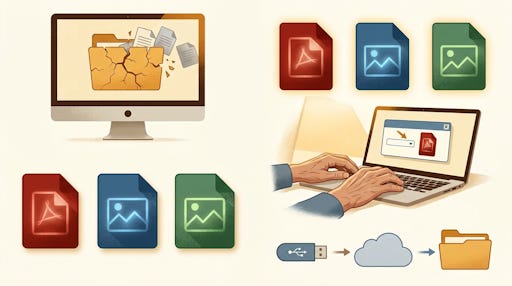
The Format Problem Nobody Talks About
File formats aren’t permanent. Software companies discontinue them, change them, or lock them behind paid subscriptions. A document you saved in 2005 using an older version of Microsoft Word or AppleWorks may already be unreadable on your current computer. Not corrupted. Not deleted. Just stranded in a format nothing supports anymore.
This happens more than people realize. And it happens quietly.
Ready for the full TheSeniorTechie treatment? Our paid members enjoy monthly brain health deep dives, all Premium Guides, and lifetime TechMaid tech support—a $50/year service included with membership.
Some Formats Age Well. Most Don’t.
Think of file formats like packaging. Some materials last decades. Others fall apart.
Here’s a simple way to think about it:
PDF was designed specifically to preserve documents exactly as they appear, on any device, without special software. A PDF you save today will open on any computer, tablet, or phone years from now. It’s an open standard, meaning no single company controls it. The Smithsonian Institution Archives lists PDF as a primary preservation format for documents, and digital preservation specialists note that PDF/A (a version designed specifically for archiving) is the most popular format for organizations needing to store records for decades.
JPEG is the universal language of photos. The standard was published in 1992, making it over 30 years old and still readable on essentially everything. Good for photos where file size matters.
PNG is better when you need sharp edges or text in an image, like a scanned form or a screenshot of an important record. MIT Libraries lists PNG as a recommended format for long-term image preservation.
Formats worth being cautious about: .pages (Apple’s word processor format), older .doc files, .wps, .pub, and anything tied to a specific app you pay a subscription for. If the company folds or you stop paying, access can vanish.
What’s Actually at Risk on Your Computer
Take a moment and think about what you have saved:
Wills, powers of attorney, or advance directives
Insurance documents or explanation of benefits letters
Tax returns from prior years
Medical records or vaccination history
Family photos scanned from prints
Email attachments you saved years ago
Any of those saved in a proprietary format is a ticking clock. Not dramatic. Just true.
The 15-Minute Fix That Actually Works
You don’t need to overhaul everything. Start with what matters most.
Open a document you consider important
Choose File > Save As (or Export, depending on your program)
Change the format to PDF before saving
For photos, open them in any photo viewer and export or save a copy as JPEG or PNG
Keep the original if you want, but now you have a version that will always open
Microsoft Word, Google Docs, and Apple Pages all export directly to PDF in two clicks. LibreOffice, which is completely free and currently on version 26.2.1, also exports to PDF with one click.
What About Cloud Storage?
Cloud services like Google Drive, iCloud, and Dropbox are convenient for backups, but they introduce their own risks. If you stop paying, if the company changes its terms, or if you lose access to your account, your files can become unreachable.
The format problem doesn’t disappear in the cloud either. A .pages file sitting in iCloud is still a .pages file. If Apple changes the format or you switch platforms, you’re back to square one.
The smart approach is both: save your important files as PDFs and JPEGs, then back them up to the cloud. That way the format is safe on any device, and the backup is safe offsite. For truly critical documents, a copy on a USB drive stored somewhere safe is worth doing too.
One More Thing Worth Knowing
PDF and JPEG don’t require any paid subscription to open. They’re not owned by one company in a way that could lock you out. Anyone with a computer, phone, or tablet can open them. That includes your kids or grandkids if they ever need to find something important in your files.
That’s not a small thing. It’s the difference between your records being accessible when it counts and someone frantically calling tech support at the worst possible moment.
Spend 15 minutes this week on your five most important files. That’s it.


Do you know about permanent cloud storage that includes data migration to new formats as they become the industry standard? It's been a huge time (& money) saver for me and those I help.
Such important info. Needs to be everybody’s required reading