

Your smartphone is basically a digital wallet. It holds your bank account, your emails, your photos, and in many cases, your Social Security information. So when someone asks, “Do I need security software on my phone?” the answer isn’t as simple as yes or no. It depends on which phone you have.
Let’s sort this out.
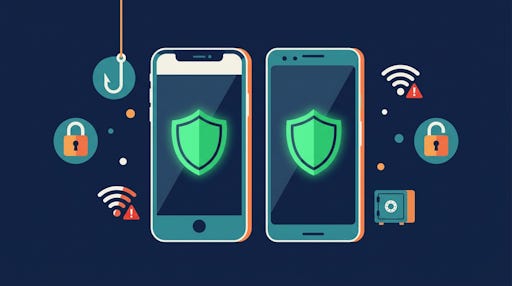
iPhone vs. Android: Two Very Different Stories
Apple and Google take completely different approaches to security, and that matters a lot when you’re deciding what to install.
Apple’s iPhone operates inside what’s called a “closed ecosystem.” Every app goes through a strict review process before it’s allowed in the App Store. On top of that, each app runs in its own little sandbox, meaning it can’t peek at what other apps are doing or reach into your personal files. That’s actually remarkable protection built right into the phone itself.
Android is more open. That openness is great for flexibility, but it also means malware has more ways to sneak in. Security experts consistently agree: Android phones need antivirus software.
Get everything TheSeniorTechie offers with our paid membership: monthly brain health deep dives, step‑by‑step Premium Guides, and lifetime TechMaid support (a $50/year service, included at no extra cost).
So, Does Your iPhone Need Antivirus?
Technically, no. Apple doesn’t recommend antivirus apps for iPhones, and the company’s own security architecture makes traditional viruses essentially impossible on a non-jailbroken device. Security.org says the iPhone is the one device where you absolutely don’t need antivirus software.
But viruses aren’t the only threat.
Phishing texts. Fake tech support calls. Scam emails designed to look exactly like your bank’s messages. Those threats work against people, not operating systems. They don’t care whether you have an iPhone or Android. And they specifically target seniors.
That’s the real danger in 2026.
The Scams That Are Actually Coming for You
The threats targeting older adults have grown more sophisticated in the past few years. Scammers now disguise phone numbers, copy official logos, and gather your personal details before they ever contact you.
Here are the ones you’re most likely to encounter on your smartphone:
Tech support scams: Someone calls or texts claiming your phone has a virus, then asks for remote access or payment for a fake “fix”
Imposter scams: A caller pretends to be from your bank, Medicare, or the Social Security Administration
Fake family emergencies: Someone impersonates a grandchild claiming to be in trouble and needing money fast
Phishing links in text messages: A text that looks like it’s from FedEx, your bank, or Amazon, designed to steal your login credentials
Lottery and sweepstakes scams: You “won” something, but first you need to pay a fee to collect
No built-in operating system protects you from clicking a convincing link. That’s where security apps step in.
What Security Apps Actually Do on a Phone
A good mobile security app in 2026 doesn’t just scan for viruses. It watches for threats that target humans, not just hardware.
Here’s what the best ones actually do:
Scan incoming text messages for phishing links before you tap them
Block malicious websites before they load in your browser
Alert you to unsafe Wi-Fi networks at coffee shops, airports, and hotels
Monitor your email for known scam patterns
Provide a VPN to encrypt your internet connection on public Wi-Fi
Check if your personal data has appeared in a known data breach
Think of it as a second layer of protection. Your phone’s operating system is the front door lock. Security software is the alarm system.
The Two Apps Worth Your Attention
After hands-on testing by multiple independent labs, two names consistently come out on top for mobile security in 2026.
Norton Mobile Security
Norton is rated the top security app for both iPhone and Android by Security.org. Its AI-powered scam detection identifies threats in real time, and during independent testing it blocked every phishing link and malware file thrown at it. Norton Mobile Security covers one device for $29.99 for the first year on both iOS and Android.
For iPhone users, it blocks incoming phishing SMS texts, automatically blocks suspicious websites, and monitors your identity for data breaches. For Android users, it removed 100% of malware in independent testing and barely touched battery life.
Bitdefender Mobile Security
Bitdefender is PCMag’s Editors’ Choice for Android in 2026 and is also available for iPhone. It’s designed to run almost entirely in the cloud, which means it won’t slow down your phone or drain your battery. It includes a VPN, real-time threat detection, and a privacy advisor that reviews how your installed apps use your data.
Bitdefender Total Security covers up to five devices for $59.99 for the first year, making it a solid value if you want to protect everything in one plan. That works out to about $1 per device per month.
A Simple Action Plan Based on Your Phone
You don’t need to become a cybersecurity expert. You just need to make a few decisions.
If you have an iPhone:
Keep iOS updated at all times (Settings > General > Software Update)
Never click links in unexpected text messages, even if they look official
Consider adding Norton Mobile Security ($29.99/year) for scam protection and phishing text blocking
Enable two-factor authentication on your Apple ID
If you have an Android phone:
Install a security app. This is not optional.
Norton Mobile Security or Bitdefender Mobile Security are both excellent starting points
Only download apps from the Google Play Store, never from random websites
Keep your Android OS updated. Many attacks target older, unpatched versions
Don’t Forget the Wi-Fi Risk
Public Wi-Fi is one of the most overlooked dangers for smartphone users. When you connect to a network at a restaurant or doctor’s office waiting room, everything you send and receive can potentially be intercepted by someone on the same network.
Both Norton and Bitdefender include a VPN in their apps, which encrypts your internet traffic so no one can read it. Norton will even send you an automatic alert when your phone connects to an unsecured network. If you check your bank account or email on public Wi-Fi with any regularity, a VPN is worth having.
Keeping Your Software Current Is Half the Battle
Keeping your phone’s operating system updated is the single most effective thing you can do for your phone’s security. Apple and Google regularly release patches that fix newly discovered vulnerabilities. Attackers know exactly which old versions have holes in them, and they specifically target people who haven’t updated.
Go to your phone’s Settings, look for Software Update or System Update, and tap install if one is available. Two minutes now saves a serious headache later.
One Last Thing to Keep in Mind
No app protects you if you hand your information over willingly. That’s what most scams rely on. They don’t hack your phone. They convince you to unlock the door.
If a phone call, text, or email creates urgency, pressure, or fear, that’s a red flag. Legitimate organizations don’t demand gift card payments, remote access to your device, or immediate action under threat of arrest. When something feels wrong, it probably is. Hang up. Delete the text. Call the company directly using a number from their official website.
Security software handles a lot. Common sense handles the rest.


Years ago we had Norton as our defence. But it was such a disaster! And when you purchase any computer the supplier has preloaded programmes you don't want!
However, I do agree that smart technology has many uses which are always limited by humans for many reasons. Smartphones did not enable me to be informed when my brother was hospitalised with a major heart attack. Stress etc was later claimed. So, for 4 days I was left in the dark.
But, a spreadsheet properly set up can enable you to spot when someone is trying to sell you a 'version' of the truth. (Especially when it is balanced back to zero!)
So, yes, there may be gains. But not when AI gives you garbage.
Thank you for your ideas on Internet security.
We no longer use Google to find information since AI simply wastes one's time with absolute nonsense (the GIGO rule).
Now with computers and smartphones apparently so vulnerable to any malcontent it seems a complete waste of time to use any item relying on digital technology that my family are now disconnecting themselves from all the brutality, lies, scams, and threats that seem so pervasive.