

Most holiday gift guides for seniors default to predictable items like slippers and large-print books. This overlooks an important reality: today’s seniors built careers, raised families, and adapted to countless technological changes throughout their lives. They deserve technology that respects their capabilities while addressing genuine challenges.
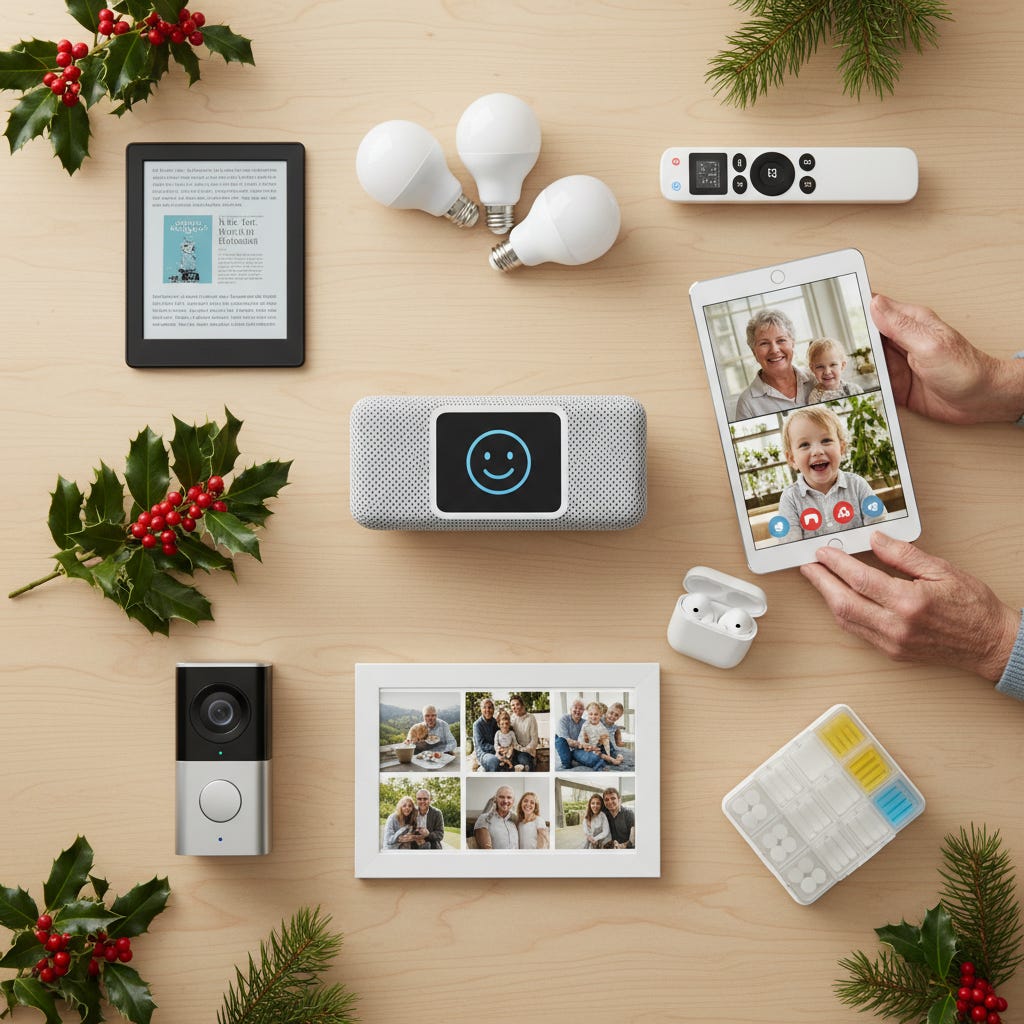
The difficulty isn’t finding gifts. It’s identifying devices that work intuitively without requiring extensive troubleshooting or creating new frustrations. When technology fails seniors, it’s often due to poor design choices like tiny buttons, confusing menus, or interfaces that assume perfect vision and dexterity.
Give the gift of information about technology to seniors by supporting TheSeniorTechie.
(If you buy something, I may earn a small commission to support TheSeniorTechie at no cost to you—thanks!)
Smart Displays for Simplified Communication
The Amazon Echo Show 8 (3rd generation), priced around $150, addresses a specific communication barrier. Many seniors struggle with the multi-step process of unlocking phones, finding apps, and navigating video call interfaces.
This device eliminates those steps entirely. Voice commands like “Alexa, call Sarah” initiate video calls without touching a screen. The large display shows weather, calendar appointments, and medication reminders in readable text. One 82-year-old user who previously refused to learn Zoom now makes video calls to grandchildren three times weekly using only voice commands.
The device also handles audiobooks, photo displays, and smart home controls. These capabilities become particularly relevant when paired with other connected devices throughout the home.
Smart Lighting for Fall Prevention
The CDC reports that falls cause the majority of injury-related deaths among Americans 65 and older. Many occur during nighttime bathroom trips when light switches are difficult to locate in darkness.
Philips Hue smart bulbs (costing $15-25 each) provide a practical solution. After initial setup through an app, these bulbs respond to voice commands through devices like the Echo Show. Commands like “Alexa, turn on the hallway lights at 30% brightness” eliminate fumbling for switches in the dark.
Advanced configurations include motion-activated lighting that automatically illuminates pathways during nighttime hours. This requires a motion sensor (approximately $40) but removes the need for any conscious action. Lights can also gradually brighten in the morning, providing a gentler wake-up alternative to alarm clocks.
Tablets Designed for Reliability
The iPad (10th generation) maintains popularity due to consistent performance. Unlike budget Android tablets that deteriorate within months, this device maintains reliability over years of use.
The key advantage is interface consistency. Applications maintain similar layouts and behaviors. System-wide text enlargement doesn’t break app functionality. Buttons remain large enough for accurate tapping. FaceTime video calls require a single tap rather than navigating through multiple menus.
The Guided Access feature provides additional utility by locking the device to a single application. This prevents accidental exits and reduces confusion. Battery life extends throughout full days, and the screen remains visible in outdoor lighting. The adjustable viewing distance accommodates various vision needs without requiring fixed positioning like desktop monitors.
Hearing Enhancement Through Wireless Earbuds
Most wireless earbuds present problems for seniors: poor fit, small charging cases difficult to manipulate with arthritic fingers, or easy loss. The Jabra Enhance Plus earbuds were specifically engineered as hearing enhancement devices that also function as standard earbuds.
These address the question of whether someone needs hearing aids or improved audio equipment. For mild to moderate hearing loss, they provide adjustable sound enhancement that clarifies conversations without the cost or stigma of traditional hearing aids.
Stabilizing fins keep earbuds secure during movement. The charging case uses a larger, easier-to-grip design. Battery life reaches approximately 10 hours per charge. The companion app allows frequency-specific adjustments, making television dialogue and restaurant conversations significantly clearer.
A retired teacher reported that these earbuds enabled her to hear her husband speaking from other rooms, resolving a three-year struggle she’d postponed addressing because she “wasn’t ready for hearing aids yet.”
E-Readers That Reduce Physical Strain
The Kindle Paperwhite (starting at $150) addresses physical challenges that intensify with age. Traditional books become heavy, print sizes shrink relative to aging vision, and extended holding positions cause discomfort.
This device weighs 7.2 ounces and offers adjustable text sizing. E-ink technology mimics paper appearance rather than emitting screen glow. It remains readable in direct sunlight while including backlighting for dark environments.
Battery life extends for weeks rather than hours. Storage capacity holds thousands of titles in a package thinner than a paperback. For individuals with arthritis, hour-long reading sessions become significantly more comfortable than holding thick hardcover books.
Public libraries increasingly offer digital lending through services like Libby, which integrates with Kindle devices. This provides free books without late fees or physical trips. One retiree reported reading 60 books annually after purchasing a Kindle, compared to approximately 15 the previous year when physical books felt too burdensome.
Automated Medication Management
The Live Fine Smart WiFi Automatic Pill Dispenser addresses medication adherence. Research indicates approximately half of Americans fail to take medications as prescribed, primarily due to forgetfulness.
This device stores up to 9 doses per day and dispenses correct doses at scheduled times. It sends alerts to users and designated family members when doses are missed. Setup involves sorting pills into cartridges once, after which the device manages dispensing for 28 days.
For individuals managing multiple medications with varying schedules, this eliminates the cognitive burden of tracking dosing times. It also provides reassurance for adult children concerned about parents’ medication routines from distant locations.
The LiveFine app connects via Wifi at the touch of a button, allowing you to manage settings and alarms—and connect your family for easy monitoring.
Video Doorbells for Enhanced Security
The Ring Video Doorbell addresses safety concerns about answering doors without knowing who’s visiting. The device includes a camera, two-way audio, and motion detection capabilities.
When someone rings the doorbell, video feed appears on connected Echo Show devices or smartphones. This allows residents to see and communicate with visitors without opening doors or walking to entrances. This proves valuable for mobility limitations, safety concerns, or simply screening visitors while occupied.
Motion detection provides alerts when someone approaches, even without ringing. All footage records for later review. While users occasionally catch package thieves, the primary benefit involves reassurance about visitor identity.
Installation remains straightforward for homes with existing doorbell wiring. Battery-powered versions accommodate homes lacking doorbell infrastructure. The device connects through home WiFi networks and operates via a simple application.
Digital Photo Frames for Family Connection
The Nixplay Smart Photo Frame displays photos that family members send remotely. This addresses emotional disconnection from distant family members, particularly grandchildren who develop rapidly.
Family members use an application to send images directly to the frame rather than printing and mailing photos. New photos appear automatically throughout the day. Grandparents view grandchildren’s latest activities without checking social media or requesting updates.
The frame cycles through photos as a slideshow or displays single images continuously. WiFi connectivity and storage accommodate thousands of photos. Multiple family members can send to the same frame, creating consistent update streams.
One grandmother reported that her kitchen counter frame made her feel more connected to three grandchildren living in different states than monthly phone calls achieved. She viewed their Halloween costumes, first school days, and casual Tuesday moments that would never surface in phone conversations.
Simplified Television Streaming
The Roku Express 4K+ addresses confusion created by modern television technology. Cable boxes, streaming applications, and multiple remotes transform watching television into a frustrating puzzle.
This device consolidates everything into one interface. All streaming services (Netflix, YouTube, Amazon Prime, etc.) appear in one location with one remote. The search function operates across all services simultaneously. Users can search for specific shows without remembering which streaming service hosts them.
The remote uses a large, simple design with only essential buttons. Voice search functionality allows users to press a button, state what they want to watch, and have the device locate it. This eliminates typing with on-screen keyboards using arrow buttons.
Setup requires approximately 15 minutes, mostly involving WiFi connection and one-time streaming account sign-ins. After completion, operation remains simple. The interface stays consistent regardless of service, eliminating confusion from learning multiple application designs.
Selecting Appropriate Technology
These devices serve specific purposes rather than adding gadgets for their own sake. Each removes particular friction points from daily routines while respecting users’ capabilities. They address genuine issues including isolation, safety concerns, medication management, and physical limitations.
The common element is operational simplicity after initial configuration. While setup might require an hour initially, these devices genuinely reduce complexity rather than adding it. This distinguishes effective technology from frustrating technology.
Consider which specific challenges matter most to the gift recipient, then select accordingly. The objective isn’t making someone “more tech-savvy” but making their daily routines less frustrating and more connected to people and activities they value.


Great gift ideas, Paul. And I really don't need another pair of slippers. . . but the 10th generation i-pad sure is looking interesting! Thanks for all the suggestions and happy holidays from you friend and fan, stephanie