

This series is based on the book Who Gets Your Passwords? TheSeniorTechie Guide To Digital Estate Planning by Paul Wilczynski, published by TheSeniorTechie Press.
Norm has filmed his granddaughter Tessa’s dance recital every spring for six years. He holds the phone up high, he stands in the aisle when the usher isn’t looking, and he has never missed one. Last month Tessa turned fourteen and asked if he still had the video from her very first recital, the one where she waved at the audience instead of dancing.
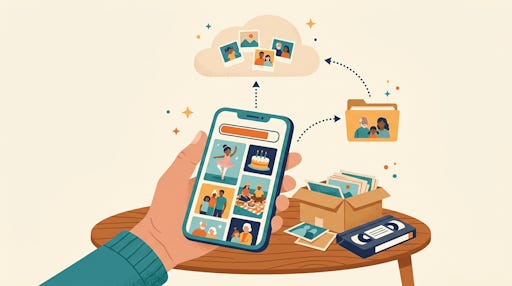
Norm said of course he did. Then he went looking, and the newest video he could find in his iCloud library was from two years ago. A notice about full storage had popped up at some point. He had tapped it away, the way most of us do. Every photo and video since then lived on one device, a phone that had already been dropped twice and run through the washer once, by accident, in a jacket pocket.
Nothing was lost. This time. But Norm spent a week knowing how close it had been.
In this article, you will learn a two-minute way to check that your photos are really backed up, plus one simple step that helps your family find them.
Full Storage Stops the Backup Quietly
Most people believe their photos are backed up because they once turned on a backup. That is not the same as being backed up today. When your cloud storage (the online space that holds copies of your photos) fills up, new photos stop uploading. Your phone keeps taking pictures, and the only warning may be a notice that is easy to tap away. You find out when you need something.
Apple gives every account 5 GB of free iCloud storage, and paid plans start at 50 GB for $0.99 a month in the US, with 200 GB at $2.99 a month. Those are Apple’s listed US prices as of this writing, and they can change. A year of the 200 GB plan costs less than one print order from a drugstore, and it protects thousands of pictures.
Google works on a similar idea. A free Google account starts with 15 GB, and that space is shared among Gmail, Drive, and Google Photos, so a full inbox can crowd out your pictures. Google’s help page lists the 15 GB figure, but your account may show a different total, so check the storage number in your own account.
Get everything TheSeniorTechie offers with our Premium membership: monthly Brain Health and AI For Seniors Deep Dives, step‑by‑step Premium Guides, and lifetime TechMaid support (a $50/year service, included at no extra cost). You also won’t see this message.
How to Check That Your Photos Are Backed Up in Two Minutes
On an iPhone, open the Settings app, tap your name at the top, then tap iCloud. A bar graph at the top of that screen shows how much space is used. If it is nearly full, photos are probably not uploading. I have not confirmed the exact menu labels on every iOS version, so if yours looks different, search Settings for “iCloud storage.”
One thing to know about iCloud: it can keep your photos in two ways. If iCloud Photos is turned on, your pictures are stored online and show up on iCloud.com. If it is off, your photos are usually saved inside your iPhone’s iCloud Backup instead. The scroll-to-today check below is for iCloud Photos.
In Google Photos, tap your profile picture and look for the storage line. If the bar is close to full, the same problem applies.
Then ask the question that matters more than the bar: what is the newest photo in the cloud? Open the library on a different device, or sign in at iCloud.com or photos.google.com on a computer. Scroll to today. If last week’s pictures are there, you are fine. If the newest one is months or years old, you have found your gap.
Your Photos Are in More Places
Amazon deserves a mention here because it surprises people. Prime members get unlimited full-resolution photo storage in Amazon Photos, plus 5 GB for video. Many people turned on automatic upload years ago and forgot. That can be good news, because you may have a second copy you didn’t know about. It can also mean your family searches three services and never thinks to check a fourth.
Transferring a phone is also not a backup. When you move to a new phone, the old one often gets traded in or ends up in a drawer. If the only copy of five years of pictures sat on that old phone, the transfer did not protect them. It just moved the single copy.
How to Share Your Best Photos With Family Now
Here is a step that needs no death certificate and no legal paperwork. Create a shared album or shared folder and put your best photos in it now. Pick the ones your family would ask for first: the wedding, the grandchildren, the house you raised your kids in. Share it with your children or one trusted person.
They get to see those pictures while you are alive and well. Nothing has to be unlocked later, and no company has to approve anything. If you are the adult child of someone who has never organized a photo, you can start the album yourself on your own phone and invite your parent to add to it.
The Caption Problem
You may be the last living person who knows who is in some of your photos. A 1960s snapshot of six people at a picnic means a great deal to you and nothing to your grandchildren. Names, places, and a year turn a mystery into a family record.
Do not try to caption everything. Choose five photos that only you can identify. For each one, write two or three sentences: who, where, and why it mattered. Type them in a note, or record yourself talking on your phone. That small effort is worth more than any amount of storage.
What Else Is in the Book
Cloud storage is only one layer. Chapter 4 of the book covers how your family gets legal access to a photo library after you die, a simple backup rule that protects you if one service fails, and how to bring old prints into digital form. It also covers the VHS tapes and camcorder cassettes sitting in your closet, which are aging faster than most people think, and how to get photos out of Facebook and Instagram. That is the system. This article gives you the first win.
What To Do This Week
Check your storage bar today. If it is full, pay for the next plan up and let the backup catch up overnight on Wi-Fi.
Choose five photos only you can identify and write a few sentences about each. Then find the box of old tapes and read the labels. You are not digitizing anything yet. You are finding out what you have.


Keeping an eye to protecting those memories permanently is key. Unfortunately if you are using iCloud Photos you do not have a backup. In Apple Terms and Conditions it specifically tells us that iCloud Photos is excluded from iCloud Backup. It’s a very common misconception. I have slides that detail how it works. Same with Google Photos— they recommend we backup our content and provide no guarantees to any being available. A permanent solution that is not subscription based is the best safeguard.