

You probably remember signing up for that streaming service during a free trial or following that account because someone told you it was interesting. Then life moved on. The free trial quietly became a monthly charge. The account kept posting things that made you feel vaguely irritated.
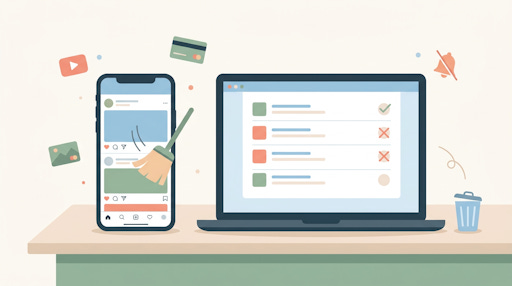
That’s the problem this article is here to solve. Not some dramatic “quit social media forever” move, but a practical, calm cleanup of two things that quietly drain your time and money: your social media feeds and your online subscriptions.
Neither one takes long to fix. And the payoff -- a quieter feed, a lighter credit card bill, and less mental static -- is very real.
Get everything TheSeniorTechie offers with our paid membership: monthly brain health deep dives, step‑by‑step Premium Guides, and lifetime TechMaid support (a $50/year service, included at no extra cost).
The Feed That No Longer Feeds You
Think about what actually shows up when you open Facebook, Instagram, or wherever you spend time online. If half of it makes you feel anxious, annoyed, or just... tired, that’s a signal. You’re in control of that feed, even if it doesn’t feel like it.
Most people don’t realize that unfollowing someone on Facebook doesn’t notify them. They’ll never know. You’re not being rude -- you’re just quietly adjusting what you see. Same with muting: it hides someone’s posts from your feed without unfollowing them. Great for that cousin who posts seventeen times a day.
Mute, Unfollow, or Just Walk Away
Here’s the practical breakdown of your three options on most platforms:
Unfollow -- You stop seeing their posts. They’re still “friends” or “connections,” just invisible in your feed
Mute -- Temporary or permanent silence. Their posts vanish from your feed, but the relationship stays intact
Block -- Full stop. Use this for anyone making you uncomfortable, full stop
Start by scrolling your feed for five minutes right now. Every time something makes you feel worse instead of better, ask: do I actually want this here? Unfollow or mute, and keep going. You don’t have to do it all in one sitting.
Doom-Scrolling Is a Design Feature, Not a Flaw
Social media platforms are engineered to keep you scrolling. That’s not a conspiracy theory -- it’s just business. The more time you spend, the more ads they can show you. Knowing that makes it easier to step away intentionally rather than feeling guilty about it.
A practical trick: set a specific time to check your accounts, rather than picking up your phone every time you’re bored. Even checking once in the morning and once after lunch is a dramatic improvement over the constant drip. You’ll still see what matters. You’ll just be the one deciding when.
The Subscriptions You Forgot You Have
Now for the part that might actually save you money. Most people are paying for at least one or two subscriptions they’ve completely forgotten about. A streaming service they used for one show last year. A news site they signed up for during an election. A cloud storage upgrade they don’t remember needing.
The easiest way to find them is low-tech: pull up your credit card or bank statement and scan for any recurring charge, monthly or annual. Look for amounts like $4.99, $9.99, $14.99. Those are the giveaway prices. Go back at least three months, or a full year to catch annual charges.
Finding Hidden Charges on Your Phone
If you pay for apps through your phone, there’s a quick way to see what you’re actually subscribed to. On an iPhone, open the App Store, tap your profile photo in the top right corner, then tap “Subscriptions.” You’ll see everything you’re paying for through Apple, with the price and renewal date right there.
On Android, open the Google Play Store, tap your profile photo, and choose “Payments & subscriptions,” then “Subscriptions.” Same idea. Cancel anything you don’t recognize or don’t use. It takes about two minutes.
Should You Use a Subscription Tracker App?
Apps like Rocket Money or Hiatus will scan your bank account and find subscriptions for you automatically. They’re genuinely useful if you have a lot of recurring charges and don’t want to hunt manually.
The tradeoff is privacy. These apps connect to your financial accounts through a service called Plaid, and while they don’t steal your login credentials, they do collect other financial data. Rocket Money settled a class-action lawsuit in 2022 related to data practices. That doesn’t mean avoid them entirely, but go in with eyes open and read the privacy policy before connecting your bank account.
What’s Actually Worth Keeping
Not every subscription is waste. Some are genuinely useful. The question to ask is: did I use this in the last 60 days? If the answer is no, cancel it. You can almost always re-subscribe later if you miss it. Streaming services in particular are easy to pause or restart. You don’t have to feel locked in.
Make a short list of what you decide to keep and why. It doesn’t have to be formal -- even a sticky note works. This makes the next cleanup (we’ll talk about that in Week 7) faster because you already know what stays.
Choosing What Actually Adds Joy or Value
Here’s the test worth applying to both your social feed and your subscriptions: does this make my life a little better, or a little worse? That’s it. Not “am I getting enough use out of it to justify the cost” or “will someone be offended if I unfollow them.”
Better or worse. Keep what makes things better. Let the rest go.
Social media can genuinely be a great way to stay connected with people you care about, see photos of grandkids, or follow topics that interest you. The goal isn’t to quit -- it’s to make the experience actually enjoyable instead of something you do out of habit while feeling vaguely stressed.
A Quick 30-Minute Cleanup Plan
You don’t need a whole weekend for this. Try this once, this week:
Spend 10 minutes scrolling your main social media feed and muting or unfollowing anything that doesn’t make you feel good
Spend 10 minutes checking your credit card or bank statement for recurring charges you don’t recognize
Spend 5 minutes checking your phone’s App Store or Google Play subscriptions list and canceling anything you don’t use
Spend 5 minutes canceling one subscription you know you don’t need -- just one
That’s it. Thirty minutes, and your digital life is already a little lighter. Next week, we’ll talk about turning this kind of cleanup into a simple routine that runs on autopilot.

