

You’re staring at lab results from three different doctors. One’s in a patient portal you can barely remember how to log into. Another came as a PDF attachment. The third is buried in your email somewhere between pharmacy reminders and insurance statements.
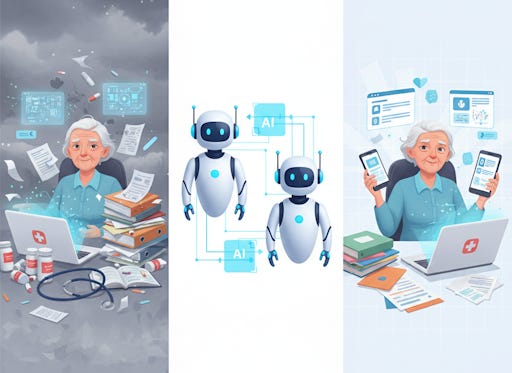
Sound familiar?
Two new AI health assistants want to fix that mess. OpenAI launched ChatGPT Health in January 2026, and Anthropic followed days later with Claude for Healthcare. Both promise to gather your scattered health information and help you make sense of it. But here’s what matters: they’re designed for you—the patient—not just doctors and hospitals.
Paid subscribers get full access to Premium Guides - including a monthly deep dive into brain health - plus LIFETIME access to free tech support from our partner Tech Maid.
What These Tools Actually Do
ChatGPT Health and Claude work similarly. You connect your medical records, fitness apps, and health data. Then you ask questions in plain English.
“How’s my cholesterol trending?”
“What should I ask my doctor about these lab results?”
“Based on my medications, which insurance plan makes sense?”
Over 230 million people already ask ChatGPT health questions every week. The difference now? The AI can actually see your specific health information instead of giving generic advice.
Claude partners with HealthEx to pull records from more than 50,000 health systems. ChatGPT Health works with b.well, another massive health data network, plus connects to Apple Health, MyFitnessPal, Function, and other wellness apps. Both let you upload files directly if your doctor still hands you paper printouts.
The Problem This Solves
American healthcare is fragmented. You’ve probably noticed.
Your cardiologist doesn’t talk to your primary care doctor. Your physical therapist has no clue what medications you’re taking. Each specialist uses a different patient portal with different login requirements. One research study found that seniors using AI reported it reduces their reliance on caregivers for answering health questions.
These AI tools don’t fix the system. They just give you a translation layer. Think of them as a personal health assistant who’s read all your files and can explain things without the medical jargon.
How Seniors Are Using These Tools
Real-world use cases tell the story better than features lists.
One senior asks Claude to summarize health records before an annual physical. Another uses ChatGPT Health to understand whether recent weight loss might interact with existing medications. A third compares insurance plans by asking which one covers their specific prescriptions and regular appointments.
The AI can spot patterns across years of data. Your doctor sees you for 15 minutes every few months. ChatGPT Health and Claude can review every lab result, every prescription change, every specialist note—then present it in simple language.
Carewell surveyed seniors in 2025 and found something surprising: 1 in 6 seniors now trusts AI health advice as much as their doctors. That’s probably too much trust. But it shows how hungry people are for help navigating medical complexity.
Privacy Matters More With Health Data
Both companies know health data is radioactive. Mess up privacy here and trust evaporates.
ChatGPT Health runs in a separate space from regular ChatGPT conversations. Your health chats stay isolated. The system uses “purpose-built encryption” beyond standard protections. Health conversations aren’t used to train OpenAI’s AI models.
Claude takes a similar approach. Anthropic promises your health data never trains their models. The HealthEx connector only pulls the specific parts of your record relevant to each question—not your entire medical history every time.
You control what gets shared. Connect Apple Health? You can disconnect it anytime. Want to remove access to your medical records? Two clicks in settings. Both platforms comply with HIPAA regulations.
Still, nothing online is perfectly secure. Turn on multi-factor authentication. Use strong passwords. Read what data each connected app collects before you authorize it.
What These Tools Can’t Do
Neither ChatGPT Health nor Claude replaces your doctor. That’s not marketing spin—it’s a genuine limitation.
They won’t diagnose you. They shouldn’t be your only source for treatment decisions. One documented case involved a 60-year-old man who followed ChatGPT advice and ended up experiencing paranoia and hallucinations. The AI suggested something that turned out to be medically dangerous.
Both platforms were developed with hundreds of physicians providing feedback. OpenAI worked with over 260 doctors who reviewed model outputs more than 600,000 times. That’s impressive. But AI still makes mistakes—sometimes confident-sounding mistakes.
The tools work best for preparation and understanding. Preparing questions before appointments. Understanding what lab terminology means. Tracking trends over time. Comparing options when you have choices to make.
How to Access ChatGPT Health
ChatGPT Health is available to Free, Plus, and Pro subscribers outside Europe. There’s a waitlist, so you’ll need to request access first.
On Your Computer
Go to chat.openai.com in your web browser
Sign in to your ChatGPT account (or create one if you’re new)
Join the waitlist by visiting openai.com/chatgpt-health
Wait for an email confirming access—this can take a few days
Once approved, you’ll see “Health” appear in the left sidebar
Click “Health” to enter the dedicated health space
On Your Phone
Download the official ChatGPT app from the App Store (iPhone) or Google Play Store (Android)
Open the app and sign in with your account
If you’ve already joined the waitlist, check your email for approval
Once you have access, look for “Health” in the app’s menu
Tap “Health” to start your first health conversation
The Health section lives separately from your regular ChatGPT chats. You’ll see health conversations in your chat history, but the actual health data stays isolated.
Connecting Your Medical Records to ChatGPT Health
Once you’re inside ChatGPT Health, connecting your information takes a few steps:
Click the Tools (+) button, or go to Settings and select “Apps”
Choose “Medical Records” to connect healthcare provider portals
Sign in to your doctor’s patient portal when prompted
For Apple Health data, select “Apple Health” from the apps list (iOS only)
Authorize the connection—you control what data gets shared
You can also upload PDFs directly if you have paper records or files your provider sent via email. Just drag and drop them into a Health chat.
Voice input works on mobile, so you can speak your questions instead of typing. That’s particularly helpful if you’re checking something quickly or have trouble with small phone keyboards.
How to Access Claude for Healthcare
Claude for Healthcare uses the HealthEx connector and is available to Pro and Max subscribers in the United States. You’ll need to set up connectors on a computer or web browser first, but once connected, you can use them on your phone.
Setting Up HealthEx (Computer Required)
HealthEx must be connected through Claude’s website or desktop app—you can’t add it directly from the mobile app. Once it’s set up, though, it works everywhere.
On your computer’s web browser:
Go to claude.ai and sign in to your Claude Pro or Max account
Click “Search and tools” at the bottom of the chat interface
Select “Add connectors” from the menu
Browse for “HealthEx” in the Health and wellness category
Click on HealthEx and then click “Connect”
Or through Settings:
Click Settings in the upper right corner
Select “Connectors” from the menu
Click “Browse connectors”
Find HealthEx and click “Connect”
Connecting Your Medical Records to Claude
The HealthEx setup process requires identity verification to protect your medical records:
After clicking Connect, you’ll verify your identity through CLEAR
Have your phone and a valid US government ID ready (driver’s license or passport)
Complete the biometric verification—this ensures only you access your records
Provide consent for HealthEx to access your health data for up to one year
Log in to your healthcare provider portals
HealthEx automatically detects many systems; you can add others manually
Wait 10-30 minutes while HealthEx retrieves and prepares your records
You’ll receive an email when your records are ready
This verification happens once. The whole setup takes about 15 minutes.
Using HealthEx on Your Phone
Once you’ve connected HealthEx on your computer, you can use it on mobile:
Download “Claude by Anthropic” from the App Store (iPhone) or Google Play Store (Android)
Sign in to the same Claude account you used to set up HealthEx
Your connected tools automatically appear in the app
In any chat, tap “Search and tools” to enable HealthEx for that conversation
Ask health questions just like you would on your computer
The Claude mobile apps support voice input, so you can talk to Claude instead of typing. The apps have over 1 million downloads on each platform.
Managing Your Claude Connection
You have full control over what Claude sees:
Update records anytime by asking Claude to check for new data (HealthEx doesn’t update automatically)
Disconnect HealthEx by going to Settings > Connectors and removing the connection
Withdraw consent entirely through your HealthEx account dashboard
Claude requires explicit consent before sharing health data with other integrated tools. If you’ve connected multiple services, Claude asks permission before mixing health information with other data sources.
Getting Started Without Getting Overwhelmed
Start small. Connect one source—maybe your primary care records or Apple Health. Ask a simple question about something you already understand. See if the answer makes sense.
Upload your most recent lab results. Ask for an explanation in plain English. Compare what the AI says to what your doctor told you. If they match, you’re building trust appropriately. If they conflict, that’s valuable information too—bring both perspectives to your next appointment.
Don’t upload everything at once. You don’t need your entire medical history connected on day one. Add data sources as you find specific uses for them.
Action Steps You Can Take Today
Join the ChatGPT Health waitlist at openai.com/chatgpt-health if you want to try it
Download the official ChatGPT app from your phone’s app store for mobile access
If you have Claude Pro or Max, set up HealthEx on your computer at claude.ai first
Download the Claude mobile app after connecting HealthEx on your computer
Check if your healthcare providers are part of the HealthEx network at healthex.io
Have a valid US government ID ready before starting Claude’s verification process
Enable multi-factor authentication on whichever platform you choose
Start by uploading one recent document—a lab result or visit summary—before connecting full medical records
Ask a question you already know the answer to as a test run
Keep a list of questions between doctor visits, then use AI to refine them before appointments
The Bigger Picture
These tools represent a shift. For decades, health information flowed one direction—from patients to providers. You answered questions. Doctors recorded answers. You got explanations if there was time.
Now information flows both ways. You can interrogate your own health data. You can prepare. You can spot patterns your doctor might miss simply because they don’t have time to review 10 years of trends.
That doesn’t make you a doctor. It makes you a more informed patient.
Whether you trust AI with your health records is personal. Some seniors embrace it immediately. Others prefer to keep technology at arm’s length from medical decisions. Both positions make sense.
But the fragmentation problem isn’t going away. Your medical records will keep scattering across systems. Patient portals will keep multiplying. Insurance forms will keep getting more complex.
These AI assistants offer one way to manage that chaos. Not the only way. Not necessarily the best way for everyone. But for seniors drowning in paperwork and trying to advocate for their own health, they’re worth understanding.
You don’t have to use them. But you should probably know they exist.


I just asked the chat about fixing hearing aids. If you ask me, they are one of the biggest scam projected on seniors. In 2 minutes, I got a reply from the chat with a letter to the technician telling him him how to fix my hearing aids after a year anf a half telling me I have to get used to them. If this whole group gets replaced by AI I won't cry.
AI Health can only be as informative as the data entered into it. If AI Health relies on old cholesterol measurements for heart health but does not take into account other markers, you won't get an accurate picture. I believe health starts with the doctor patient relationship, and I will advocate for that for as long as I can. My health, as everyone's health is unique and nuanced and this is an area where I want a real human being working with me not AI. I appreciate it's the latest greatest tech thing, but that doesn't automatically make it good.